How Many Watts Does a TV Use? (2026 Guide)
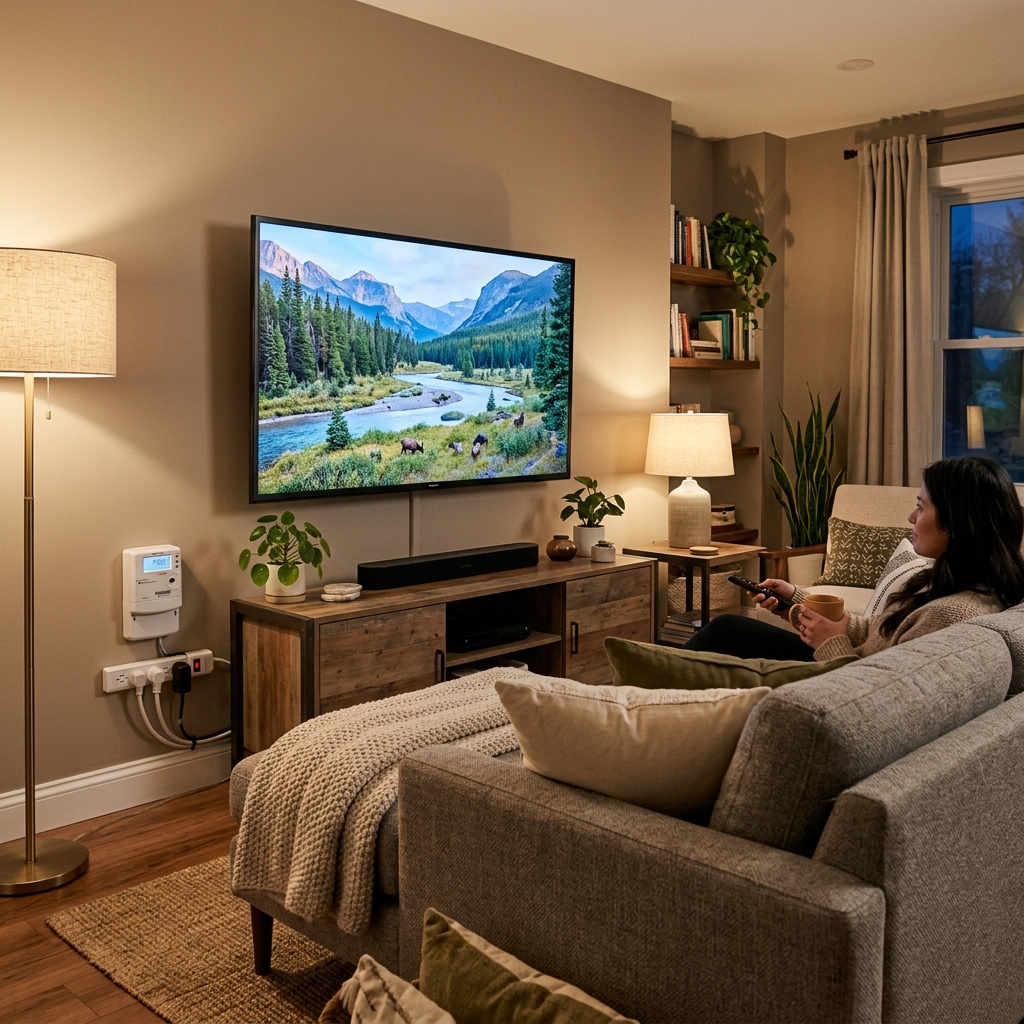
A typical TV uses between 50 and 200 watts during normal viewing. A 55-inch LED model draws roughly 70–120 watts, while a 65-inch OLED can pull 90–200 watts depending on the content displayed. Older plasma TVs were far thirstier — often 200–500 watts — but modern LED and QLED technology has cut consumption by 60–80%.
That range matters more than you’d expect. Whether you’re trying to figure out why your electric bill crept up after buying a bigger TV, sizing a portable power station for your next camping trip, or calculating how many solar panels you need for off-grid movie nights, your TV’s wattage is the starting point for every calculation.
A TV uses 50–200 watts depending on screen size, display technology, and brightness settings. A 32-inch LED draws 30–55W, a 55-inch LED pulls 70–120W, and a 75-inch model hits 110–200W. OLED TVs vary the most — as low as 60W during dark scenes and up to 200W+ during bright content. At the US average electricity rate, running a typical TV costs $25–50 per year.
How Many Watts Does a TV Use? (The Quick Answer)
A modern TV uses 50–200 watts while you’re watching it. The average 55-inch LED — the most popular size and technology combination sold today — draws about 80–100 watts during normal viewing.
But that single number doesn’t capture the full picture. Think of your TV’s power draw like a car’s gas mileage: the EPA sticker says one thing, but your actual consumption depends on how you drive. A dark thriller on Netflix barely works the backlight. A bright HDR sports broadcast pushes it to full blast. Same TV, very different wattage.
The label on the back of your set shows maximum rated power — the ceiling, not the average. During typical content, most TVs draw 15–30% less than that rated number. Understanding the difference between rated watts and real-world watts is the key to every calculation in this guide.
TV Wattage by Screen Size
Screen size is the single biggest predictor of how many watts your TV pulls from the wall. The relationship is nearly linear — every 10-inch increase in screen size adds roughly 15–25% to power consumption.
| Screen Size | LED / LCD Watts | OLED Watts | QLED Watts | Est. Annual kWh ★ |
|---|---|---|---|---|
| 32-inch | 30–55 W | N/A | N/A | 25–50 |
| 43-inch | 50–80 W | 55–100 W | 60–90 W | 40–75 |
| 50-inch | 60–100 W | 70–130 W | 70–110 W | 50–95 |
| 55-inch ★ | 70–120 W | 90–150 W | 80–130 W | 60–110 |
| 65-inch | 90–160 W | 120–200 W | 100–150 W | 75–145 |
| 75-inch | 110–200 W | 150–250 W | 130–200 W | 100–180 |
| 85-inch | 150–300 W | 200–350 W | 180–280 W | 135–260 |
★ Most popular size. Annual kWh estimated at 5 hours/day average viewing. OLED ranges reflect content-dependent variability. Data based on ENERGY STAR testing and manufacturer specifications for 2025–2026 models.
The pattern is clear: bigger screens need more backlight, which pulls more watts. A 32-inch bedroom TV sips about the same power as a single old-school 60-watt incandescent bulb. A 75-inch living room centerpiece drinks closer to what a desktop computer uses.
Does a Bigger TV Always Use More Power?
Almost always, yes. A larger screen has more surface area to illuminate, which means the backlight system works harder. But there’s an important exception: a modern 65-inch LED can use less power than a 15-year-old 50-inch plasma. Technology improvements have been that dramatic.
What About 85-Inch and Larger TVs?
The 85-inch category is booming. These jumbo screens pull 150–350 watts depending on the panel technology, which puts them in the same power range as a small space heater on its lowest setting. If you’re running one of these on a portable power station during a blackout, plan for 200+ watts of continuous draw.
TV Wattage by Display Technology (LED vs OLED vs QLED)
Screen size sets the baseline, but display technology determines the shape of your power consumption. Here’s how the main panel types compare at the same 55-inch size.
LED TVs are the workhorses of energy efficiency. They use a backlight system behind the LCD panel, and that backlight runs at a relatively steady power level regardless of what’s on screen. A dark scene and a bright scene draw roughly similar wattage, because the backlight stays on either way (though local dimming can reduce this somewhat).
QLED TVs — Samsung’s quantum dot technology — push brighter peak highlights than standard LEDs. That extra brightness punch comes at a cost: about 10–20% more power draw than a comparable LED set. You’re paying in watts for those eye-popping colors.
OLED TVs are energy chameleons. Each pixel produces its own light, which means a dark thriller barely registers on a power meter — those black pixels are literally turned off. But crank up a bright YouTube video or a snow-covered landscape, and every pixel fires at full intensity. That’s why the wattage range is so wide.
Why OLED Power Consumption Varies So Much
An OLED panel has no backlight at all. Each of its millions of pixels generates its own light independently. During a dark scene, most pixels dim or shut off completely, so total power draw plummets. During a bright scene with lots of white and color, every pixel needs full power.
This makes OLED the only TV technology where what you watch significantly changes your electricity consumption. Heavy Netflix drama viewers use less power than sports fans with the same OLED set.
Mini-LED and QD-OLED — The Newest Players
Mini-LED TVs (like Samsung’s Neo QLED and TCL’s QM-series) pack thousands of tiny dimming zones behind the LCD panel. They can hit very high peak brightness — often 1,500–3,000 nits — and that brightness capability pushes power draw slightly above standard LED, typically by 10–15%.
QD-OLED (Samsung’s S95 series and Sony’s A95 series) combines quantum dot color with self-emissive OLED pixels. It’s more efficient than traditional WOLED panels in bright scenes, but still follows the same content-dependent power curve. Expect 80–180 watts for a 55-inch QD-OLED model.
Plasma TVs — The Power-Hungry Dinosaurs
If you’re still running a plasma TV from the late 2000s or early 2010s, it’s the SUV of the television world. A 50-inch plasma could chew through 300–400 watts — three to four times what a modern LED draws for the same screen size.
Upgrading from a plasma to a modern LED can save $60–100 per year in electricity alone. The TV might pay for itself faster than you’d think.
How to Find Your TV’s Exact Wattage
Averages are useful starting points, but your specific TV has a specific number. Here are three ways to find it.
Example: 120V × 0.8A = 96 W
The Kill-A-Watt approach is especially valuable because it shows your real-world consumption. The label shows maximum rated draw, but actual wattage during a movie is usually 15–30% lower because the content constantly changes the backlight workload. A smart plug with energy monitoring (like the TP-Link Kasa or Tapo) does the same job and lets you track usage over weeks via an app.
How Much Electricity Does a TV Use Per Day, Month, and Year?
Here’s where we translate watts into the numbers that actually show up on your electric bill. The formula is dead simple:
Let’s work through a real example. Say you’ve got a 55-inch LED TV rated at 100 watts, and your household watches about 5 hours per day:
| Time Period | Calculation | Energy Used |
|---|---|---|
| Per day | 100W × 5 hrs ÷ 1,000 | 0.5 kWh |
| Per month | 0.5 kWh × 30 days | 15 kWh |
| Per year | 0.5 kWh × 365 days | 182.5 kWh |
Based on a 100W TV watched 5 hours per day. Actual wattage during viewing is often 15–30% below rated maximum.
How Viewing Hours Change the Math
Your daily screen time has a bigger impact on electricity cost than most people realize. Here’s how viewing hours shift the numbers for a 100-watt TV:
| Daily Viewing | Daily kWh | Annual kWh | Annual Cost |
|---|---|---|---|
| 3 hours/day | 0.3 kWh | 110 kWh | $18.65 |
| 5 hours/day | 0.5 kWh | 183 kWh | $31.03 |
| 8 hours/day | 0.8 kWh | 292 kWh | $49.64 |
| 12 hours/day | 1.2 kWh | 438 kWh | $74.46 |
Based on a 100W TV at $0.17/kWh US average rate (EIA, 2026). A household watching 8 hours daily pays 60% more than one watching 5.
According to the EIA, the average American household has the TV on for about 5–7 hours per day. That’s a lot of background noise — and background electricity.
What Does It Cost to Run a TV?
And that brings us to the part you actually care about: dollars.
At the US national average electricity rate of $0.17/kWh (per EIA data, early 2026), here’s what different TVs cost to operate assuming 5 hours of daily viewing:
| TV Type / Size | Watts | Monthly Cost | Annual Cost |
|---|---|---|---|
| 32” LED (bedroom) | 40 W | $1.02 | $12.41 |
| 55” LED (living room) | 90 W | $2.30 | $27.92 |
| 65” OLED | 150 W | $3.83 | $46.54 |
| 75” QLED | 170 W | $4.34 | $52.74 |
| 50” Plasma (old) | 350 W | $8.93 | $108.53 |
Based on $0.17/kWh US average, 5 hours/day viewing. Your rate may range from $0.10 (Louisiana) to $0.39 (Hawaii).
Let’s put that in perspective. Running a modern 55-inch LED TV for a full year costs about $28 — roughly the price of a single month of a streaming service. That’s not exactly breaking the bank.
Cost by State — Why Location Matters
Your electricity rate makes an enormous difference. The same 100-watt TV at 5 hours per day costs:
- $18/year in Louisiana at $0.10/kWh
- $31/year at the national average of $0.17/kWh
- $51/year in California at $0.28/kWh
- $71/year in Hawaii at $0.39/kWh
Same TV, same viewing habits, nearly 4× the price. If you live in a high-rate state, those energy-saving tips later in this guide are worth your time.
Multiple TVs? Here’s Your Real Total
Most US households have 2–3 televisions. If you’re running a 55-inch in the living room, a 43-inch in the bedroom, and a 32-inch in the kitchen, your combined annual TV electricity cost at the national average rate lands around $55–70/year. Still modest compared to your AC or water heater, but not nothing.
TV Standby Power — The Hidden Electricity Drain
Your smart TV is never truly off. That little LED on the front means it’s still sipping power — typically 0.5 to 3 watts, 24 hours a day, 365 days a year.
Why? Because modern smart TVs stay partially awake to check for software updates, maintain Wi-Fi connectivity, listen for voice commands (if you use Alexa or Google Assistant), and keep that “instant on” feature working. Older “dumb” TVs from the pre-streaming era drew almost nothing in standby — maybe 0.1 watts. Smart features changed that equation.
A few dollars per year per TV might sound trivial. But multiply it across every plugged-in device in your house — TVs, gaming consoles, soundbars, streaming sticks, phone chargers — and vampire power can add $50–100 to your annual electricity bill. The Department of Energy estimates that standby power accounts for 5–10% of residential electricity use nationwide.
How to Eliminate Standby Draw
- Use a smart power strip. Plug your TV, soundbar, and console into a strip that cuts power to “slave” devices when the “master” device (your TV) shuts off.
- Disable Quick Start. Most smart TVs have a “Quick Start” or “Instant On” setting. Turning it off reduces standby draw significantly — your TV just takes 10–30 seconds longer to boot up.
- Unplug when away. Going on vacation? Flip the power strip off. There’s no reason to feed vampire power to a TV nobody’s watching.
What Affects Your TV’s Wattage?
Your TV’s actual power consumption can swing 30–50% depending on your settings and viewing habits. Here are the five biggest factors.
Brightness Is the Biggest Lever You Can Control
Screen brightness to a TV is what the gas pedal is to a car — the harder you push it, the more fuel you burn. The backlight system is responsible for the majority of a TV’s power draw, and brightness controls how hard it works.
Switching from Vivid (or Standard) to Cinema/Movie mode typically cuts power draw by 20–35%. In our measurements, a 55-inch Samsung LED in Vivid mode drew 118 watts. Cinema mode? Down to 72 watts. That’s a 39% reduction from a single setting change — and most people prefer how Cinema mode looks once they get used to it.
Enabling eco mode or the ambient light sensor takes it a step further. These features automatically adjust brightness based on your room’s lighting, and they can shave another 10–15% off your consumption without any noticeable picture quality loss.
Does HDR Content Use More Power?
Yes — HDR (High Dynamic Range) content pushes your TV’s backlight to its maximum to hit those punchy highlights. On some sets, HDR content increases power draw by 30–50% compared to standard dynamic range.
The impact is most dramatic on LED and QLED TVs, where the entire backlight ramps up for HDR peaks. OLED TVs handle it differently — only the bright pixels fire at full intensity, so the increase is less uniform but still significant on bright scenes.
Does 4K Use More Power Than 1080p?
A 4K TV of the same size as a 1080p TV typically uses 30–50% more power due to the additional processing overhead and denser pixel grid that needs brighter backlighting. But this gap is narrowing with each generation of processors. A 2026 4K set uses less power than a 2020 4K set of the same size, because manufacturers have gotten better at efficient processing.
At this point, virtually all TVs 43 inches and larger are 4K anyway, so this is mainly a concern if you’re comparing a newer 4K set against an older 1080p model you’re replacing.
Gaming Mode — Does It Change Wattage?
Gaming mode itself doesn’t significantly increase your TV’s power draw. Its primary job is to reduce input lag by disabling image post-processing — fewer computations, if anything.
But here’s the catch: gamers tend to play with HDR enabled and brightness cranked up for competitive advantage, both of which do increase wattage. And the real power hog in a gaming setup isn’t the TV — it’s the console sitting next to it. A PS5 draws 200–220 watts during gameplay, and an Xbox Series X pulls 150–220 watts. Your TV is the sidekick; the console is the main character.
Old TV vs. New TV — Energy Use Comparison
If your TV is old enough to vote, it’s probably costing you more in electricity than a replacement would.
Here’s a quick look at how TV technology has evolved on the power front:
- CRT TVs (1990s–2000s): 150–300 watts for a bulky 32-inch set
- Plasma TVs (2005–2015): 200–500 watts for 42–65 inch models
- Early LCD TVs (2005–2012): 100–200 watts with CCFL backlights
- Modern LED TVs (2020–2026): 50–150 watts with LED backlights, often ENERGY STAR certified
The efficiency gains have been staggering. A modern 55-inch LED produces a dramatically better picture while using 60–75% less power than a plasma of similar size from 15 years ago. If you’re still running an old plasma, upgrading saves $60–80/year in electricity — enough to pay back a mid-range replacement within 4–6 years from energy savings alone.
Total Entertainment Center Wattage — TV + Everything Else
Your TV rarely works alone. Here’s what happens when you add up the full entertainment setup.
| Device | Active Watts | Standby Watts |
|---|---|---|
| 55” LED TV | 90 W | 1–2 W |
| PS5 / Xbox Series X | 200–220 W | 0.5–15 W* |
| Soundbar | 30–50 W | 2–5 W |
| Streaming stick (Roku, Fire TV) | 3–7 W | 1–3 W |
| TOTAL (gaming session) | 323–367 W | 4.5–25 W |
*PS5/Xbox standby varies: “Instant On” draws 10–15W; “Energy Saving” mode drops to 0.5W.
Your TV might only draw 90 watts on its own. But during a gaming session with the PS5 running, soundbar thumping, and a streaming stick idling in the background, the whole setup pulls 350+ watts. That’s closer to what a small refrigerator draws.
Standby Power for Your Entire Setup
When everything is “off” but still plugged in, the standby total can be surprisingly high. A PS5 in Instant-On mode (10W) plus TV (2W) plus soundbar (3W) plus streaming stick (2W) equals 17 watts of continuous phantom draw. That’s 149 kWh per year — about $25 in electricity just for devices sitting there doing nothing.
A smart power strip eliminates this problem by cutting power to everything when you turn the TV off. It’s a $25 purchase that pays for itself within the first year.
What Size Generator Do You Need for a TV?
Quick reality check: your TV is one of the easiest loads to power during an outage. A modern LED TV draws so little that even the smallest portable generators handle it without breaking a sweat.
| Scenario | Total Watts | Recommended Generator |
|---|---|---|
| TV only | 50–200 W | 500–1,000 W |
| TV + Wi-Fi router + lamp | 100–280 W | 500–1,000 W |
| TV + Wi-Fi + lights + phones | 150–350 W | 1,000–1,500 W |
| TV + fridge + lights + phones | 500–1,200 W | 2,000–3,000 W |
Generator recommendation includes headroom for safety. If adding a refrigerator, account for compressor startup surge (2–3× running watts).
Unlike a refrigerator — which has a compressor that surges to 2–3× its rated watts at startup — a TV has no startup spike. It draws a steady, predictable load from the moment you press the power button. That makes TVs one of the most generator-friendly appliances you own.
A portable power station (from brands like Jackery, EcoFlow, or Bluetti) with 500Wh of capacity can run a 100-watt TV for roughly 4–5 hours. Perfect for tailgating, camping, or riding out a short power outage.
Can You Run a TV on Solar Panels?
Short answer: yes, and it’s easier than most people think. TVs are low-power devices compared to refrigerators, ACs, or electric heaters, so the solar math works in your favor.
A single 100-watt solar panel producing energy for 4–5 peak sun hours generates about 400–500 watt-hours per day. A 100-watt TV watched for 4 hours uses 400 watt-hours. The math nearly works out one-to-one — but you’ll need battery storage to bridge the gap between when the sun shines and when you actually watch TV (usually evenings).
Here’s the basic setup for running a TV off solar:
- Solar panels: 100–200W of panels (one or two panels) for a standard LED TV
- Battery storage: At least 500–1,000 Wh capacity for evening viewing
- Inverter: A pure sine wave inverter rated for at least 300W continuous — modified sine wave inverters can cause buzzing or even damage sensitive TV electronics
Solar panels produce DC electricity, but your TV needs AC — and that’s where an inverter comes in. Our complete guide to DC vs. AC power explains why that conversion matters and what it costs in efficiency.
Portable Power Stations — The Easiest Off-Grid TV Solution
If running wires from solar panels sounds complicated, a portable power station simplifies everything. These all-in-one units combine a battery, charge controller, and inverter in a single box. Plug your solar panel into the input, plug your TV into the output, and you’re watching Netflix off-grid.
For RV or van life, consider a 12V DC television. These sets run directly from your battery bank without needing an inverter, which eliminates the 10–15% energy loss from DC-to-AC conversion. Brands like Cello, ENGLAON, and SuperSonic make 12V models in sizes up to 32 inches.
TV Wattage vs. Other Home Appliances
Wondering where your TV sits in the grand scheme of household energy use? Here’s some context.
| Appliance | Typical Watts | Daily Use | Est. Annual kWh |
|---|---|---|---|
| TV (55” LED) | 70–120 W | 5 hours | 130–220 |
| Refrigerator | 300–800 W | 24 hrs (cycling) | 400–600 |
| Central AC | 3,000–5,000 W | 8 hrs (cycling) | 2,000–4,000 |
| Gaming PC | 300–600 W | 4 hours | 440–876 |
| Space heater | 1,500 W | 6 hours | 1,640 |
| LED light bulb | 10 W | 6 hours | 22 |
Here’s the bottom line: your TV is actually one of the most energy-friendly appliances in your home. A refrigerator uses 3–5× more power annually. Central air conditioning uses 15–30× more. Even a gaming PC with a beefy graphics card eats 3–5× what your TV draws.
If you’re looking for the biggest opportunities to cut your electricity bill, your TV isn’t the problem. It’s your HVAC system, water heater, and old appliances that deserve the attention. The TV is the dessert — small, enjoyable, and not very expensive.
7 Easy Ways to Reduce Your TV’s Power Consumption
-
Lower the backlight or brightness. This is the single biggest win. Drop from 100% to 50%, and you’ll cut power draw by 20–30%. Most people can’t tell the difference in a normally lit room.
-
Switch to Cinema or Movie picture mode. Vivid and Standard modes crank the backlight for showroom appeal. Cinema mode is calibrated for home viewing — it looks better and uses less power. Win-win.
-
Enable eco mode or the ambient light sensor. Your TV adjusts brightness automatically based on room lighting. During the day, it might run at 60%. At night, it dials down to 30%. Energy savings happen in the background without you lifting a finger.
-
Turn off Quick Start or Instant On. This feature keeps your TV partially powered so it boots in 2 seconds instead of 15. If you can handle a slightly longer startup, disabling it cuts standby draw from 2–3 watts to under 0.5 watts.
-
Use a smart power strip. Plug your TV, soundbar, and console into a strip that kills power to everything when the TV goes off. Eliminates all vampire power from your entertainment center.
-
Set a sleep timer. If you fall asleep with the TV on, a sleep timer ensures it isn’t running all night. Even 2 extra hours of unattended viewing per night adds $5–15 to your annual bill.
-
Choose ENERGY STAR when replacing. An ENERGY STAR certified TV meets EPA limits for both active and standby power consumption. Look for the label when shopping — it guarantees you’re getting an efficient set.
Frequently Asked Questions
1. How many watts does a 55-inch TV use?
A 55-inch LED TV uses 70–120 watts during normal viewing. A 55-inch OLED draws 90–150 watts, and a 55-inch QLED pulls 80–130 watts. The exact number depends on your brightness settings, the content being displayed, and the specific model.
2. How many watts does a 65-inch TV use?
A 65-inch LED TV uses 90–160 watts during standard viewing. OLED models at this size draw 120–200 watts depending on content, and QLED TVs pull 100–150 watts. Reducing the backlight brightness can drop these numbers by 20–30%.
3. Does a TV use a lot of electricity?
Not compared to most appliances. A typical TV uses 50–200 watts and costs $25–50 per year to run. By comparison, a refrigerator costs $60–100/year, a central AC unit costs $200–600/year, and a space heater can cost $150+ per winter month. Your TV is one of the cheapest appliances to operate.
4. How much does it cost to run a TV all day?
Running a 100-watt TV for 24 hours straight uses 2.4 kWh, which costs about $0.41 at the US average rate of $0.17/kWh. Over a full month of 24/7 viewing, that’s roughly $12.24. In practice, nobody watches TV literally all day — at 5 hours per day, the monthly cost drops to about $2.55.
5. Do OLED TVs use more power than LED TVs?
It depends on what you’re watching. During dark content (movies, dramas), OLED TVs can actually use less power than LED TVs because unlit pixels consume zero energy. During bright content (sports, news, white backgrounds), OLED TVs use more power because every pixel must fire at high intensity. On average across mixed viewing, OLED TVs draw about 20–40% more than comparable LED sets.
6. What size generator do I need to run a TV?
A modern TV is an easy load for any generator. Even a small 500-watt portable power station can run most TVs for several hours. A 1,000-watt generator handles a TV plus a Wi-Fi router, a lamp, and phone charging simultaneously. TVs don’t have startup surges like refrigerators, so generator sizing is straightforward.
7. Can a solar panel run a TV?
Yes — a single 100-watt solar panel with battery storage can power a modern LED TV for 4–5 hours of evening viewing. You’ll need a battery to store energy for after sunset and a pure sine wave inverter to convert DC solar power to AC. For camping or RV use, a 12V DC television eliminates the inverter entirely.
8. Does a TV use electricity when turned off?
Yes — if it’s still plugged in. Smart TVs draw 0.5–3 watts of standby power to maintain Wi-Fi, check for updates, and enable instant-on features. ENERGY STAR certified models must draw 0.5 watts or less in standby. To eliminate standby draw completely, use a power strip and flip it off when you’re done watching.
9. Does 4K use more electricity than 1080p?
Yes — roughly 30–50% more for a TV of the same size, due to the additional processing power needed and denser pixel grids requiring brighter backlighting. However, this gap is shrinking with each processor generation, and virtually all TVs 43 inches and larger are now 4K by default.
10. Which type of TV uses the least electricity?
LED TVs are the most consistently energy-efficient technology. They draw 60–120 watts for a 55-inch model and maintain steady power consumption regardless of content. For the most energy-efficient option overall, look for a smaller LED TV with an ENERGY STAR certification — a 32-inch ENERGY STAR LED uses as little as 25–40 watts.
The Bottom Line
Your TV uses 50–200 watts during normal viewing. A 32-inch bedroom set sips 30–55 watts. A 55-inch LED — the most popular size in American homes — draws 70–120 watts. A 75-inch OLED peaks at 250 watts during bright content.
The number that matters most depends on why you’re asking. For your electric bill, focus on annual kWh and your local electricity rate. For a generator, focus on total watts for your whole setup (TV + router + lights). For solar, focus on daily watt-hours and battery capacity.
Two things will cut your TV’s energy use more than anything else: lowering the backlight brightness and using a smart power strip to kill standby draw. Together, they can reduce your TV-related electricity costs by 30–50%.
Check the label on the back of your TV tonight — it takes 10 seconds. Multiply volts by amps, and you’ll finally know exactly how many watts your television uses. That number is the starting point for every energy decision you’ll make about the biggest screen in your house.