How Many Watts Does a PS5 Use? (Tested & Measured)
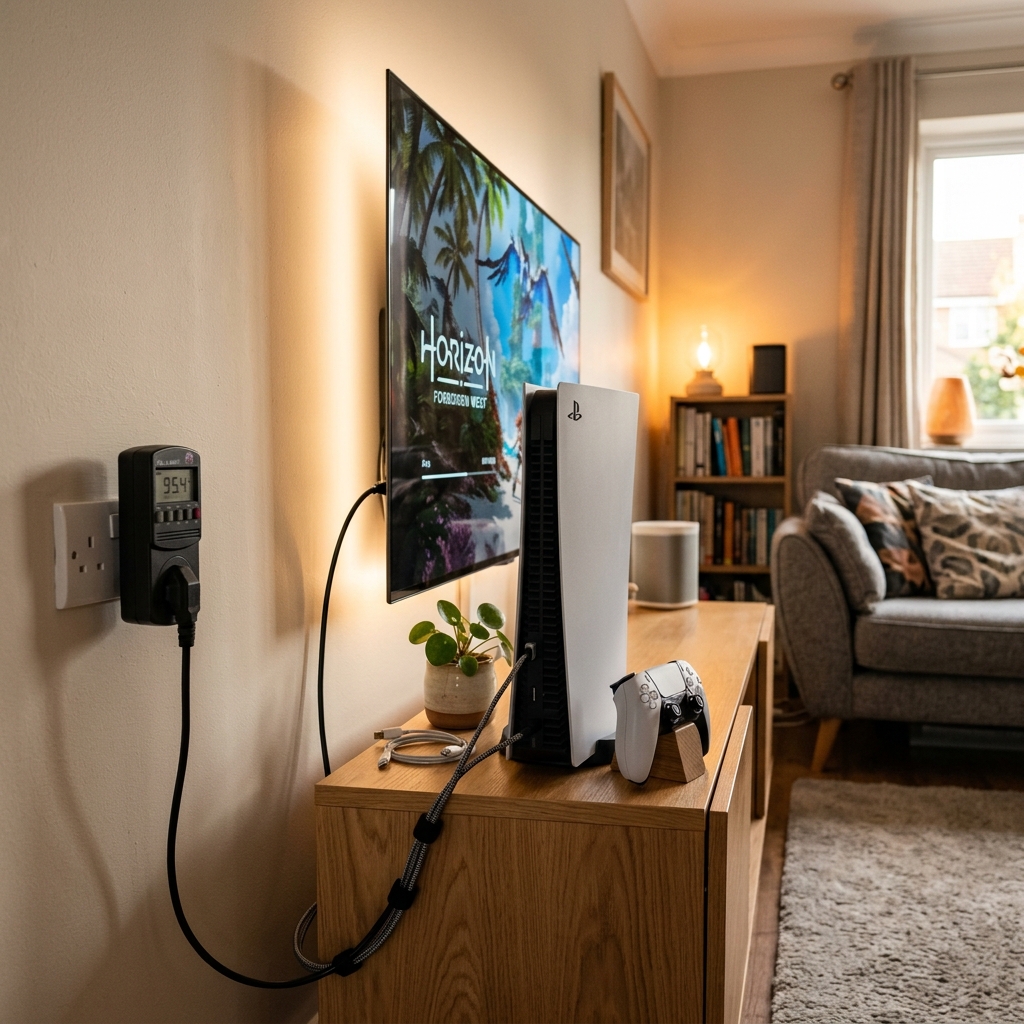
The standard PS5 (disc edition) pulls up to 203 watts during graphically demanding gameplay. The PS5 Digital Edition peaks at about 200 watts. In rest mode with USB charging enabled, power consumption drops to roughly 3–5 watts, and in standby with no network features active, it sips less than 1.5 watts. Your actual wattage depends on the game you’re running, your video output settings, and whether the console is downloading updates in the background.
That range matters more than you’d think. Whether you’re trying to figure out why your electric bill jumped after marathon gaming sessions, sizing a UPS for storm season, or comparing the PS5 to a gaming PC, your console’s wattage is the starting point for every calculation.
A PS5 uses 150–203 watts during gaming, 50–70 watts on the home screen, 55–80 watts while streaming apps, and just 1.5–5 watts in rest mode. The PS5 Slim peaks at 185–190W and the PS5 Pro reaches 215–225W. At the US average electricity rate, running a PS5 for three hours of daily gaming costs about $3.10 per month — less than a cup of coffee.
How Many Watts Does a PS5 Use? (The Short Answer)
The PS5 draws between 150 and 203 watts during gaming, depending on the title. Graphically intense AAA games with ray tracing push the console toward its 203W peak, while less demanding indie games keep it closer to 150W. The PS5 Digital Edition caps out at about 200W since it lacks the disc drive motor.
Think of it this way — your PS5 at full tilt uses about as much electricity as two old-school 100-watt incandescent light bulbs running at the same time. You don’t panic about a couple of light bulbs, and you shouldn’t panic about your PS5 either.
Here’s the thing — the 350-watt number you might’ve seen floating around online is the internal power supply’s maximum rating. That’s the ceiling it can handle, not what the console actually draws. Real gaming load sits at roughly 200W — barely more than half the PSU’s capacity. Sony builds in that headroom for voltage spikes and component tolerance.
PS5 Power Consumption by Mode — Full Breakdown
Not all watts are created equal. Your PS5’s power draw swings wildly depending on what you’re asking it to do.
Gaming Mode (AAA Titles vs. Indie Games)
This is where the PS5 works hardest. Fire up a graphically intense title like Horizon Forbidden West or Marvel’s Spider-Man 2 with ray tracing enabled, and you’ll see the power meter climb to 195–203 watts. The AMD RDNA 2 GPU is crunching millions of polygons, the custom NVMe SSD is streaming assets, and the cooling fan is spinning fast to keep everything from overheating.
Switch to something lighter — say, Stardew Valley or Hades — and the draw drops to 140–160 watts. The hardware simply isn’t working as hard.
It’s like the difference between highway and city driving. A car doing 80 mph on the freeway burns more fuel than one cruising at 30 through a neighborhood. Same engine, wildly different demands.
Ray tracing is the biggest single factor within gaming mode. Turning it on can add 15–20 watts to your total draw compared to performance mode.
Home Screen and Menus
Sitting on the PS5 home screen after quitting a game? The console still draws 50–70 watts. That’s higher than most people expect. The system keeps the GPU partially active for the UI animations and background processes.
Don’t leave it idling here for hours — either play something or let it go to rest mode.
Streaming Apps (Netflix, YouTube, Disney+)
Here’s a number that surprises people: your PS5 uses 55–80 watts to stream Netflix in 4K. A dedicated streaming stick like a Chromecast draws about 3 watts. A Fire TV Stick pulls roughly 5 watts.
If you use your PS5 as your primary streaming device, you’re burning 10–15× more electricity than you need to for that purpose. Worth knowing if you’re cost-conscious.
Rest Mode (Charging vs. Not Charging)
Rest mode is where the PS5 gets impressively efficient.
Here’s the setting that matters: Go to Settings > System > Power Saving > Features Available in Rest Mode. You’ll see toggles for “Supply Power to USB Ports” and “Stay Connected to the Internet.” Disable both if you want the absolute lowest rest mode draw. Leave them on if you value convenience — at 5 watts, it costs you about $0.01 per night.
Fully Off (But Still Plugged In)
When the PS5 is completely powered down — no indicator light, nothing running — it still draws about 0.3–0.5 watts. This is what electricians call phantom load or vampire power.
Should you unplug it? At roughly $0.50 per year, honestly no. The wear and tear on your power cable from constant plugging and unplugging isn’t worth fifty cents.
PS5 vs. PS5 Slim vs. PS5 Pro — Power Consumption Compared
Sony has released multiple PS5 variants since launch, and they don’t all drink power the same way. The Slim models benefit from a die-shrunk AMD APU manufactured on TSMC’s more efficient 6nm process, which means less electricity wasted as heat.
| PS5 Model | Peak Gaming (W) | Idle / Menus (W) | Rest Mode (W) | Fully Off (W) |
|---|---|---|---|---|
| PS5 Original (Disc) | 203 W | 50–70 W | 3–5 W | 0.3–0.5 W |
| PS5 Original (Digital) | 200 W | 48–68 W | 3–5 W | 0.3–0.5 W |
| PS5 Slim (Disc) | 185–190 W | 45–60 W | 2–4 W | 0.2–0.4 W |
| PS5 Slim (Digital) | 180–185 W | 43–58 W | 2–4 W | 0.2–0.4 W |
| PS5 Pro ★ | 215–225 W | 55–75 W | 3–5 W | 0.3–0.5 W |
★ PS5 Pro uses an upgraded RDNA 3-based GPU with more compute units, explaining its higher power draw. Peak wattage measured during ray-tracing-heavy titles.
The PS5 Pro trades power efficiency for raw graphical muscle. It’s running an upgraded GPU with more compute units, and that extra silicon draws more current. If you’re curious about what that GPU upgrade actually delivers in real-world gaming, understanding how watts translate to real performance and energy costs puts the numbers in perspective.
The Slim is the sweet spot if power efficiency matters to you. Same gaming performance as the original, roughly 15% lower power draw, and it runs cooler too.
PS5 vs. Xbox Series X vs. Gaming PC — Which Uses More Power?
PS5 vs. Xbox Series X
The PS5 and Xbox Series X are practically tied. The Xbox Series X draws 200–220 watts during gaming — a touch higher than the PS5 in most titles, but the difference is small enough to be meaningless on your electricity bill.
The Xbox Series S tells a different story: it pulls just 60–80 watts during gameplay, making it the most energy-efficient current-gen console by a wide margin. The trade-off is lower resolution and less graphical fidelity.
| Console | Peak Gaming (W) | Idle (W) | Standby (W) |
|---|---|---|---|
| PS5 ★ | 200–203 W | 50–70 W | 1.5–5 W |
| Xbox Series X | 200–220 W | 45–65 W | 0.5–15 W |
| Xbox Series S | 60–80 W | 25–40 W | 0.5–13 W |
| Nintendo Switch (Docked) | 18–40 W | 10–15 W | 0.5 W |
PS5 vs. Gaming PC
This is where the PS5 really shines in efficiency. A mid-range gaming PC with an RTX 4070 pulls 300–400 watts total system power. Go high-end with an RTX 4090 build, and you’re looking at 500–650 watts under load.
The PS5 delivers its 10.28 teraflops of GPU performance while pulling just 200 watts. A comparably powerful gaming PC needs almost double that. The PS5 is like a fuel-efficient sedan — the gaming PC is a pickup truck. Both get you there, but one burns a lot more gas.
PS5 vs. PS4 / PS4 Pro
Upgrading from a PS4? Your electricity draw went up, but your performance went up dramatically more.
- PS4 (Original): 100–140 watts
- PS4 Pro: 145–165 watts
- PS5: 150–203 watts
The PS5 uses about 30–40% more power than the PS4, but delivers roughly 4–5× the computing performance. Performance-per-watt improved massively between generations thanks to the jump from AMD’s older Jaguar architecture to Zen 2.
How Much Does It Cost to Run a PS5?
Let’s talk dollars and cents — because that’s what most people actually care about.
The Formula (Simple Math, No Degree Required)
Real example: 200W × 3 hours ÷ 1,000 = 0.6 kWh per day. At the US average of about $0.17 per kWh, that’s $0.102 per day, or roughly $3.10 per month.
Three bucks. Less than a single coffee.
Monthly and Annual Cost by Location
Your mileage varies depending on where you live. Hawaii’s electricity rates are more than triple the national average, while Louisiana’s are among the lowest.
| Location | Avg kWh Rate (2026) | Monthly Cost | Annual Cost |
|---|---|---|---|
| California | $0.30 | $5.40 | $65 |
| Texas | $0.14 | $2.52 | $30 |
| New York | $0.24 | $4.32 | $52 |
| Florida | $0.15 | $2.70 | $32 |
| Hawaii | $0.43 | $7.74 | $93 |
| Louisiana | $0.11 | $1.98 | $24 |
| US Average ★ | $0.17 | $3.06 | $37 |
| United Kingdom | £0.25 | £4.50 | £54 |
| Canada | CA$0.13 | CA$2.34 | CA$28 |
| Australia | AU$0.33 | AU$5.94 | AU$71 |
| Germany | €0.35 | €6.30 | €76 |
★ Costs based on 200W average during gaming, 3 hours/day. Add $1–2/month if you leave the console in rest mode for the remaining 21 hours. Rates from EIA.gov and local utility data for 2026.
What Factors Affect PS5 Power Draw?
Your PS5 doesn’t always pull the same wattage. Several variables push it up or down.
Game Complexity and Graphics Settings
A demanding open-world game with ray tracing enabled pushes the AMD RDNA 2 GPU to its limits, pulling peak wattage. A 2D platformer or a menu-heavy RPG keeps things lighter. The gap can be 40–50 watts between the most and least demanding titles.
Performance mode (higher frame rate, lower resolution) typically uses 10–15 fewer watts than resolution mode (native 4K output). The GPU does less work per frame when it’s not rendering at full 4K resolution.
Resolution Output (4K vs. 1080p)
If you’re gaming on a 1080p monitor, the PS5 automatically scales down its output through HDMI 2.1, and the GPU takes it easier. You’ll see a 10–20 watt drop compared to native 4K output. Free savings if you don’t have a 4K display.
Connected Peripherals (PSVR2, External SSD, Controllers)
Every USB device plugged into your PS5 adds to the total draw:
Ambient Temperature and Ventilation
A PS5 in a well-ventilated entertainment center stays cooler, and the fan doesn’t work as hard. Stuff it inside a closed cabinet where hot air recirculates, and the fan ramps up — pulling slightly more power and shortening the console’s lifespan.
Keep at least 4 inches of clearance on all sides. Your PS5 will run cooler, quieter, and a bit more efficiently.
How to Measure Your PS5’s Power Draw at Home
Don’t trust internet estimates — measure it yourself. It takes about 30 seconds to set up.
If you want continuous tracking over days or weeks, a smart plug with energy monitoring — something like the TP-Link Kasa KP125 or Tapo P110 — logs everything to a phone app. A Kill A Watt meter works for more than just your PS5, too. Once you know how to measure appliance wattage, you can check what your refrigerator, TV, and router are costing you each month.
How to Reduce PS5 Power Consumption (5 Settings That Actually Work)
You won’t cut your electricity bill in half with these tweaks. But you can shave 20–30% off your PS5’s annual energy use without changing how you play. Every setting below takes less than a minute.
1. Set Auto Rest Mode Timer
Go to Settings > System > Power Saving > Set Time Until PS5 Enters Rest Mode. Set it to “After 1 Hour of Inactivity” for media playback and “After 20 Minutes” during gaming. This catches those times you fall asleep with the controller in your hand.
2. Disable USB Charging in Rest Mode
Settings > System > Power Saving > Features Available in Rest Mode > Supply Power to USB Ports. Set this to “Off” or “3 Hours” instead of “Always.” Your DualSense charges fully in about 3 hours anyway — keeping USB power on all night is wasted energy.
3. Turn Off HDMI Device Link
Settings > System > HDMI > Enable HDMI Device Link. When this is on, turning on your TV can wake the PS5 from rest mode. That means your console fires up every time you switch on the TV to watch cable — even when you have no intention of gaming.
4. Use Performance Mode Over Resolution Mode
Settings > Saved Data and Game/App Settings > Game Presets > Performance Mode or Resolution Mode. Performance mode renders at lower resolution with higher frame rates. The GPU does less work per frame, which means 10–15 fewer watts. You get smoother gameplay too.
5. Enable Auto-Off for Controllers
Settings > Accessories > Controllers > Turn Off After. Set it to 10 or 15 minutes. An idle DualSense still draws power through the console’s Bluetooth radio and keeps the controller’s internal battery cycling unnecessarily.
What Size UPS Do You Need for a PS5?
If you live somewhere with unreliable power — frequent brownouts, summer storm outages, or flickering lights — a UPS (uninterruptible power supply) protects your PS5 from sudden shutdowns that can corrupt save data or damage the SSD.
VA Rating Explained
UPS capacity is measured in VA (volt-amperes), not watts. The typical conversion is about 60% — so a 1000VA UPS delivers roughly 600 usable watts. The PS5’s power factor is around 0.95, which is better than most consumer electronics.
Recommended UPS Tiers for PS5 Setups
| Setup | Minimum VA | Recommended VA | Est. Runtime |
|---|---|---|---|
| PS5 only | 450 VA | 600 VA | 8–12 min |
| PS5 + monitor | 800 VA | 1000 VA | 8–10 min |
| PS5 + TV + soundbar | 1200 VA | 1500 VA | 10–15 min |
You don’t need 30 minutes of runtime. You need enough time to save your game, close the application, and shut down properly. Ten minutes handles that comfortably.
A UPS also doubles as a surge protector — but not every power strip does. Check for a joule rating of at least 1,000 before plugging your PS5 into any strip. A cheap $5 extension cord without surge protection leaves your console vulnerable to voltage spikes.
PS5 Power Consumption and Heat Output
Every watt your PS5 draws eventually becomes heat. All of it. There’s no getting around the laws of thermodynamics.
At 200 watts, the PS5 outputs about 682 BTU per hour. For context, a small portable space heater puts out about 3,400 BTU/hr. So your PS5 generates roughly one-fifth the heat of a space heater.
In a large living room? You won’t notice it. In a small bedroom with the door closed during a summer night? You’ll feel the difference after a couple hours. Keep airflow in mind and don’t stuff the console into an enclosed TV cabinet.
Does the PS5 Disc Drive Affect Power Consumption?
Yes, but barely. The Blu-ray disc drive adds about 2–5 watts while actively reading a disc during installation. Once the game installs to the SSD and the disc is only used for license verification, the drive spins up briefly and then sleeps — adding maybe 1 watt on average.
The 3-watt difference between the PS5 Disc Edition (203W) and Digital Edition (200W) reflects this. Over a full year of gaming, that gap costs you about $0.50 in electricity. Not exactly a deciding factor when choosing between models.
PS5 Power Consumption Myths — Debunked
Frequently Asked Questions
1. How many watts does a PS5 use per hour?
The PS5 doesn’t use “watts per hour” — watts already measure instantaneous power draw. But if you’re asking about energy consumption: at 200 watts, the PS5 uses 0.2 kilowatt-hours (kWh) per hour of gaming. That’s the number your electric company uses to bill you. At $0.17/kWh, that’s about 3.4 cents per hour.
2. Does the PS5 use more electricity than a PS4?
Yes. The PS5 draws 200W versus the PS4’s 100–140W. But the PS5 delivers roughly 4–5× the performance, so it’s actually more efficient per unit of computing power. You’re getting significantly more for each watt the console consumes.
3. Can I plug my PS5 into a regular power strip?
You can, but make sure it’s a power strip with surge protection and a rating of at least 1,000 joules. A basic $5 extension cord–style strip without surge protection leaves your PS5 vulnerable to voltage spikes during storms or brownouts. Check the rating printed on the back of the strip.
4. How much does it cost to run a PS5 per month?
At the US average rate of $0.17/kWh, gaming three hours per day costs about $3.10 per month. Add rest mode for the remaining 21 hours and you’re looking at $3.50–4.00 total. Exact costs vary by location — Hawaii pays triple, Louisiana pays less than half the national average.
5. Does playing at 4K use more watts than 1080p?
Yes, but the difference is modest — about 10–20 watts. The GPU renders more pixels at 4K, which means more transistors are active. On a 1080p display, the PS5 automatically scales down and the GPU gets a lighter workload.
6. Is it bad to leave a PS5 in rest mode all the time?
No. Rest mode is designed for continuous use. At 3–5 watts, it costs about $0.01 per night. Sony engineered the console to be left in rest mode — it keeps your games updated and your DualSense controller charged without meaningful electricity cost or hardware wear.
7. How many watts does the PS5 controller use while charging?
The DualSense controller draws 2.5–5 watts while charging via USB. A full charge takes about 3 hours from empty. After that, current drops to near zero even if the cable stays connected — the controller has built-in charge management circuitry.
8. Does the PS5 Slim use less power than the original PS5?
Yes. The PS5 Slim uses a die-shrunk AMD APU manufactured on TSMC’s more efficient 6nm process, cutting peak gaming power draw by about 15% — from 203W down to roughly 185–190W. Rest mode consumption drops slightly too. Same performance, less heat, lower electricity cost.
The Bottom Line
Your PS5 uses about 200 watts during gaming — roughly the same as a ceiling fan on high speed. It’s not going to bankrupt you. Your clothes dryer uses 5,000 watts. A space heater pulls 1,500. An electric oven hits 2,000+. The PS5’s 200 watts is modest by household standards.
If you game three hours a day, you’re looking at roughly $35–55 per year in electricity, depending on where you live. That’s cheaper than a single new game.
Two things will cut your PS5’s energy waste more than anything else: adjusting your power-saving settings (auto rest mode, disable overnight USB charging, turn off HDMI Device Link) and simply not leaving the console idling on the home screen. Those tweaks cut idle waste by 20–30% without changing your gaming experience at all.
Want exact numbers instead of estimates? Grab a Kill A Watt meter for $20, plug it in, and you’ll know your PS5’s real power draw within 30 seconds. No guesswork, no internet arguments — just your actual number.