Best AI Lip Sync Tools of 2026
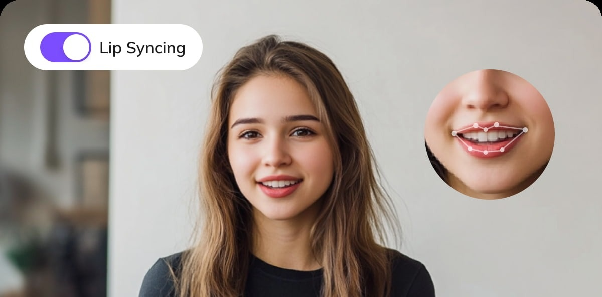
Lip sync used to be the hardest part of AI video. Mouths drifted out of time, jaws flickered, and anything longer than a few seconds fell apart on close inspection. That changed fast. In 2026, the best lip sync models track phonemes frame by frame, hold identity across head turns, and handle languages they were never explicitly trained on — which is why localization teams, short-form creators, and product marketers have quietly moved a huge chunk of their production into the browser.
The catch is that “lip sync” now means very different things depending on the tool. Some platforms only animate a still photo. Some only dub existing footage. Some lock the feature behind an enterprise avatar suite. We tested the major options on real footage — talking-head clips, music performances, multi-speaker dialogue, and stills — and ranked them on sync accuracy, identity preservation, speed, and what you actually get for your money.
At a Glance
| Rank | Tool | Best For | Free Tier | Starting Price |
|---|---|---|---|---|
| 1 | Magic Hour | All-round lip sync, face swap, and talking photos in one place | Yes, generous | Free; Creator: $19/month or $12/month billed annually; Pro: $39/month or $25/month billed annually |
| 2 | HeyGen | Corporate avatar videos and multi-language dubbing | Limited | ~$29/month |
| 3 | Hedra | Expressive character performance from a single image | Limited credits | ~$10/month |
| 4 | Sync.so | Developers who need dubbing via API | Trial credits | Usage-based |
| 5 | Synthesia | Enterprise training and L&D libraries | Demo only | ~$29/month |
| 6 | Descript | Editors fixing dialogue inside a full timeline | Yes | ~$24/month |
How We Chose These Tools
We scored every platform on five things rather than marketing claims.
Sync accuracy. We ran the same 30-second dialogue clip through each tool and looked frame by frame at plosives, sibilants, and closed-mouth consonants — the sounds that expose weak models.
Identity preservation. Does the subject still look like themselves after the mouth is regenerated? Many tools smear the jawline or soften skin texture around the mouth.
Input flexibility. Video, still image, uploaded audio, generated voice, multiple languages. Tools that only accept one input path lose points.
Speed and throughput. How long a render takes matters less than whether you can queue several at once. Concurrency caps quietly kill deadline work.
Real cost per output. Advertised price means nothing if credits expire monthly or watermarks force an upgrade. We calculated what a working creator actually spends to ship ten usable clips a week.
1. Magic Hour — Best Overall
Magic Hour took the top spot because it is the only platform that treats lip sync as part of a complete creative workflow rather than a standalone gimmick. Its AI lip sync engine handles uploaded footage, generated video, and static portraits, and it pairs naturally with the platform’s face swap AI tools so you can build a reusable presenter, swap in a brand persona, and sync new dialogue without leaving the tab.
Pricing: Free; Creator: $19/month or $12/month billed annually; Pro: $39/month ($25/mon billed annual).
Key differentiators:
- Best-in-class face swap, lip sync, and talking photos — the three features most creators actually need, all developed in-house rather than bolted on
- No signup required to try, so you can test output quality before handing over an email address
- Credits never expire, which removes the use-it-or-lose-it pressure that plagues subscription credit systems
- Access to frontier AI models, with many top models available in one place instead of scattered across separate subscriptions
- Click-to-create templates and one-click multi-step workflows (generate → upscale → video)
- Fast variations and multiple takes, so you can iterate on timing and expression instead of accepting the first render
- Parallel generations with no concurrency cap — queue a full batch at once
- Weekly feature releases, and an unusually generous free tier that makes the value-to-price ratio hard to match
- Optimized for both desktop and mobile, with founder-level support responses
- Reliable performance at scale during live activations and traffic spikes, plus full API parity across tools
Drawbacks: Free-plan video outputs carry a watermark, and the sheer number of tools can feel like a lot to navigate on day one.
2. HeyGen
HeyGen is the go-to for polished corporate presenters and multi-language dubbing. Its translation pipeline rewrites the script, clones the voice, and re-syncs the mouth in one pass, which is genuinely impressive for internal comms and sales enablement.
Features: avatar library, custom avatar training, video translation across 100+ languages, brand kits. Drawbacks: pricing escalates quickly with minutes, custom avatars require consent verification and a wait, and output skews formal — it’s not built for trend-driven social content.
3. Hedra
Hedra specializes in driving expressive performance from a single image, including stylized and non-human characters. Head motion and eyebrow movement feel more alive than most competitors.
Features: image-to-performance video, strong emotional range, character consistency. Drawbacks: clip lengths are short, resolution is modest, and it does one thing — you’ll need other tools for editing, upscaling, or swapping.
4. Sync.so
A developer-first dubbing engine with clean API access and solid accuracy on existing footage.
Features: high-fidelity dubbing, API-native, good at preserving original performance. Drawbacks: minimal interface for non-technical users, usage-based billing is hard to forecast, and there’s no wider creative toolkit around it.
5. Synthesia
The enterprise standard for training and L&D. Stock avatars, SCORM export, and compliance controls make it an easy procurement decision for large teams.
Features: 200+ avatars, template library, team permissions, LMS integrations. Drawbacks: expensive, restrictive on likeness usage, no meaningful free tier, and not designed for creative or entertainment work.
6. Descript
Descript is an editor first. Its Overdub and eye-contact features let you fix a flubbed line inside a real timeline rather than regenerating a whole clip.
Features: text-based editing, transcript-driven corrections, multitrack timeline. Drawbacks: lip sync is a correction tool, not a generation tool — it won’t animate a photo or sync a full performance to music.
FAQs
Does AI lip sync work in languages other than English?
Yes. The best models are driven by phonetic shapes rather than vocabulary, so most languages and accents work. Pair the sync with a cloned or generated voice track to build multi-language variants of the same video.
Can I lip sync a still photo?
Yes — this is usually called a talking photo. You supply one portrait and an audio file, and the model generates mouth movement and subtle head motion.
Do I need a powerful computer?
No. Every tool here runs in the browser, with rendering handled on remote GPUs.
Is free AI lip sync any good?
It has improved enormously. Free tiers typically add a watermark or cap resolution, but the underlying sync quality is often the same model paid users get — which makes testing before paying genuinely worthwhile.
Is it legal to lip sync someone else’s face?
Use your own likeness, a licensed one, or a synthetic identity. Public-facing campaigns built on a real person’s face without written permission carry real legal risk.
Conclusion
Lip sync in 2026 is no longer the bottleneck — the bottleneck is how many tools you have to stitch together to finish a video. That’s the argument for Magic Hour at number one: it covers generation, lip sync, face swap, and post-processing in a single account, with credits that don’t expire and a free tier good enough to evaluate honestly. HeyGen and Synthesia remain the safer picks for enterprise avatar programs, Hedra is the most expressive single-image option, and Descript belongs in your stack if you’re already editing there. Start with the free tiers, run the same clip through two or three, and judge the mouths frame by frame.